
Today, while reviewing a Meta lead generation campaign for a real estate client in Mexico, Meta Ads Manager showed us this note: "Your cost per result is lower than businesses like yours."
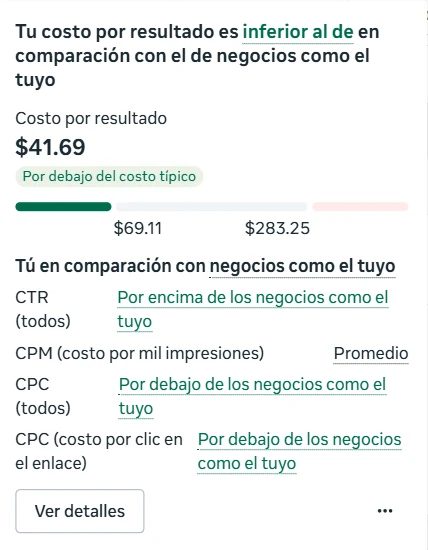
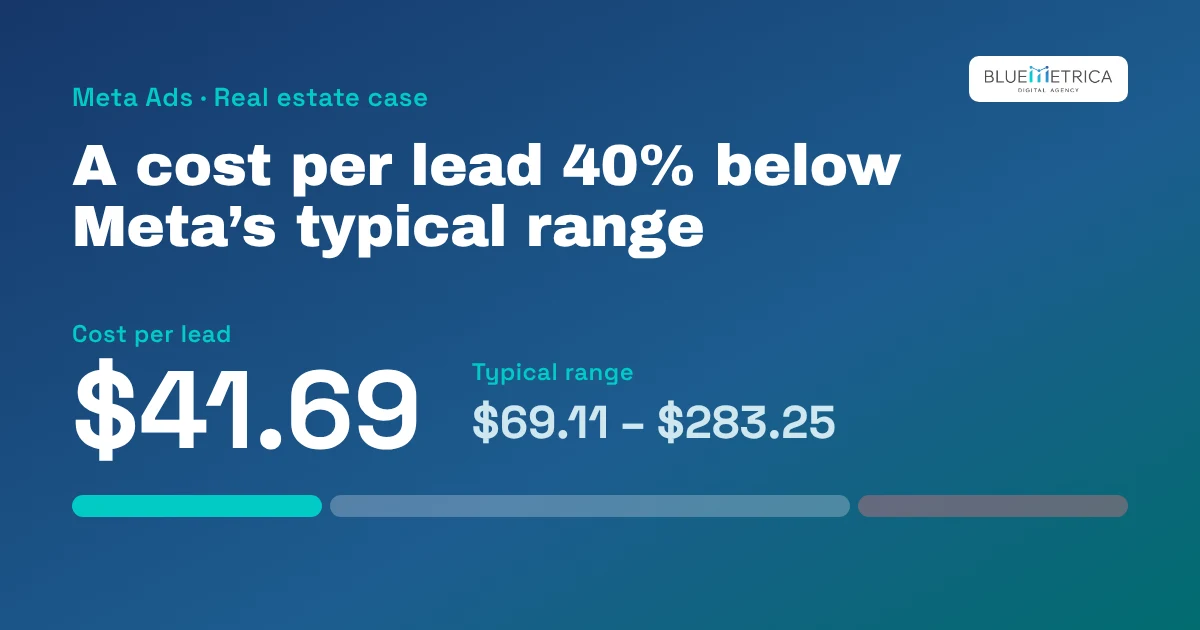
That ad set's cost per lead was 41.69 Mexican pesos. For similar businesses, Meta puts the typical range at 69.11 to 283.25 pesos. In other words, we came in about 40% below the cheapest end of the range. A second ad set in the same campaign got the same label, at 40.81 pesos per lead.
That's good news, but the most useful part isn't the green label. It's the list underneath, which explains why the lead is coming in cheap. Let me walk you through how we interpret it.
What this comparison is
In the cost per result column, Meta adds a label that compares your campaign with other advertisers. Hover over it and you get the detail: your cost, the typical range, and four metrics compared with businesses like yours.
Meta doesn't publish exactly how it builds that comparison group, so we treat it as a reference point, not a target. It's useful for checking that you're in a reasonable range, especially when you don't have your own history yet.
The four metrics, in order
The easiest way to read them is as a chain: each one explains the next.
- CPM (cost per 1,000 impressions): average. We pay the same as everyone else to show the ad. The audience isn't cheaper, and we didn't get lucky in the auction.
- CTR (all) (click-through rate): above. Out of every thousand people who see the ad, more than usual click. That depends almost entirely on the ad itself: the image or video, the copy, and how clear the offer is.
- CPC (all) (cost per click) and CPC (link click): below. If showing the ad costs the same and more people click, each click ends up costing less as a result.
- Cost per result: below. With cheaper clicks and a form that keeps converting, each lead costs less.
The takeaway: the advantage comes from the ad, not from paying less for the audience. That matters, because it's something we control and can repeat. It's very good news for us, but it isn't permanent. It could change next week, and we may have to rotate the ads because of high "Frequency," meaning people have already seen that ad too many times.
How we got here
This client's main campaign didn't always look like this. In March, cost per lead was around 90 pesos and link CTR was 1.5%. Since July, CTR has held around 5% and cost per lead has ranged from 47 to 67 pesos a month.
What we did over those months was steady work, not a trick:
- Separate campaigns by price range. Each campaign speaks to one type of property and one investment range, instead of one general message for everyone.
- Weekly ad reviews. Ads that stop performing are turned off and new ones are tested.
- Budget follows performance. When an ad set's leads get more expensive month after month, we adjust it right away or shift the budget toward whatever is bringing the most cost-efficient results.
What the green label doesn't tell you
A cheap lead isn't always a good lead. Before celebrating, here's what we check:
While this is a good starting point on something that's working well, the cost that matters isn't cost per lead, but cost per lead who answers, books a visit, or buys. That's why we match Meta leads against what the sales team reports in their CRM.
What to do if you see this label in your account
- If your CTR is above and your CPM is average, your ad is doing the work. Before replacing it, test variations of the same concept.
- If your CPM is below but so is your CTR, the low cost may come from cheap audiences that aren't interested. Check lead quality more carefully.
- If your cost per result is above typical, start with CTR. It's almost always the first place there's something to fix.
- Don't scale on the label alone. Raise the budget gradually and watch that cost per lead and lead quality hold up.
For us, the comparison with businesses like yours is a quick way to know we're on track. The decision to scale still comes from the CRM data.